How can we help?
Tax Residency of a Portfolio
The tax residency of your portfolio is the country you selected when you set up your Sharesight portfolio.
If you are on a Standard or Premium plan, you can have multiple portfolios with different tax residencies in your Sharesight account.
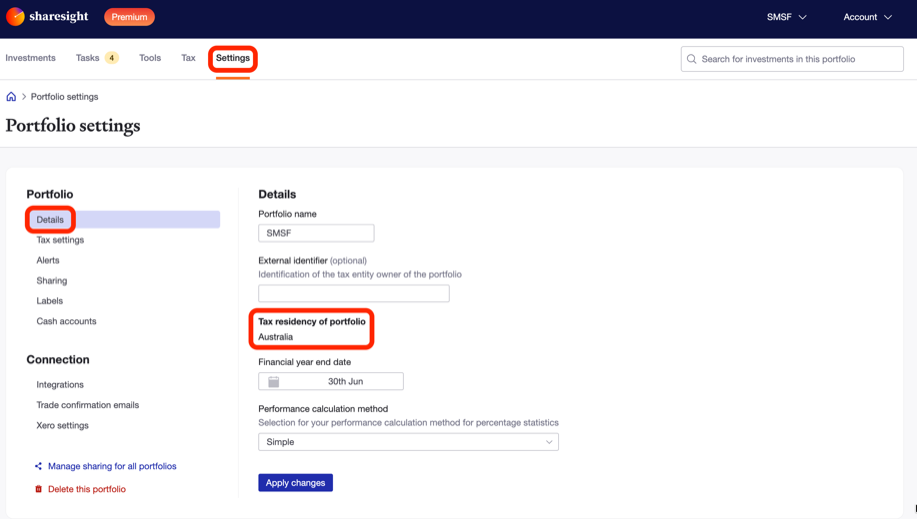
You can view the tax residency of your portfolio on the Settings tab, under Details (shown as Tax residency of portfolio).
The country you choose determines:
Portfolio currency (e.g. USA = US dollar)
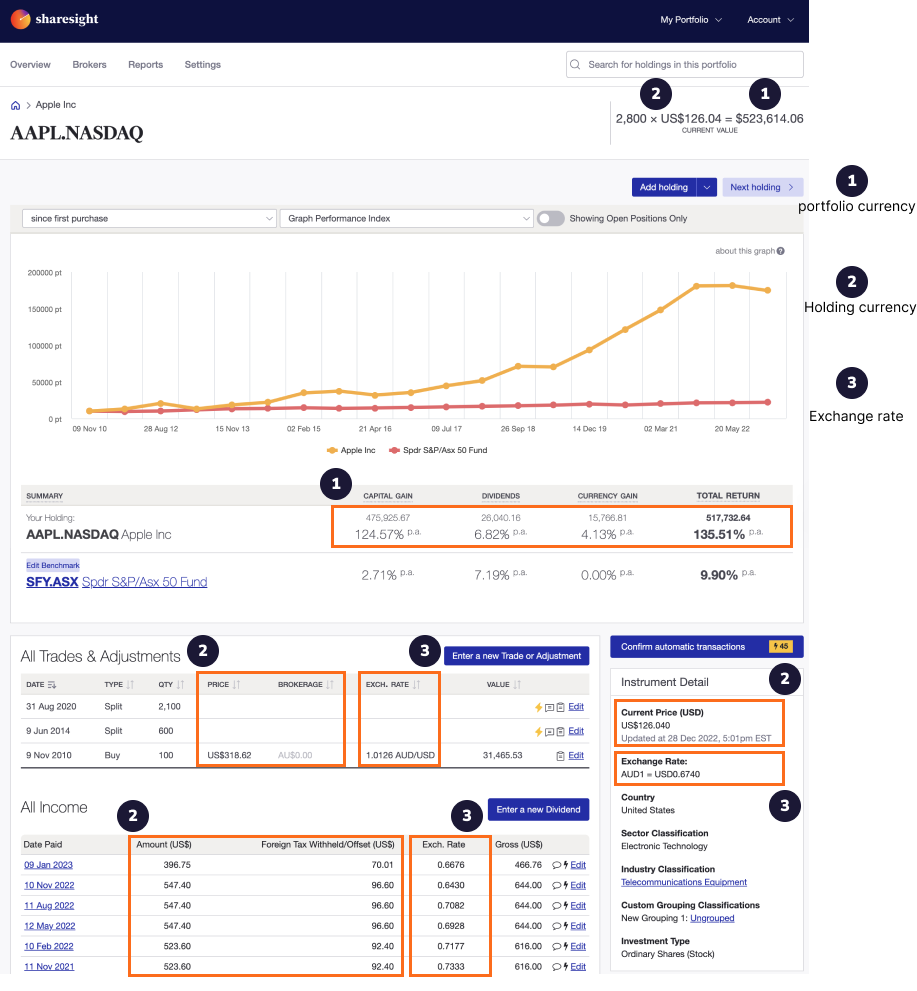
All holdings are displayed in the portfolio currency. Holdings and transactions in a different currency are automatically converted to the portfolio currency, and the exchange rate used is shown.
For example: A UK tax residency portfolio has Apple shares on the NASDAQ Stock Exchange.
- Holding: Apple (traded in USD)
- Portfolio currency: GBP
- Apple values are converted from USD to GBP using the USD/GBP exchange rate.
Functionality that relates to the tax requirements of the country, including:
- Reports for tax purposes
- Country-specific data input requirements in the transaction and income windows
Note: Tax residency of a portfolio cannot be changed once it has been set up. This is due to the fact that all data is converted to the currency and calculated according to the tax requirements of the country. If you need your existing portfolio's data under a different tax residency, you can recreate the portfolio in a different tax residency instead.
Last updated 18th November 2026