How can we help?
Manage sharing for all portfolios
Once you have invited someone to access your portfolio, you can change their level of access or delete there access to any of your portfolios at any time.
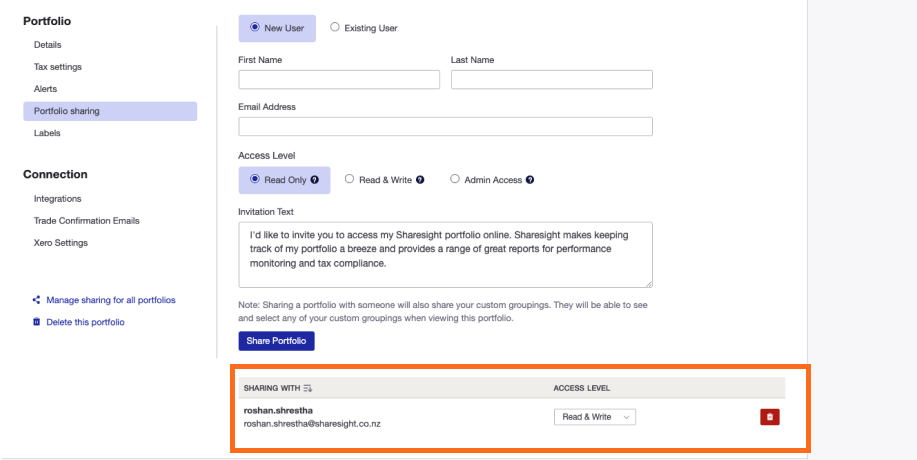
1 — Click on the Setting tab.

2 — Click on the Portfolio Sharing option.

3 — This will show the portfolio's list of shared users.
Changing someone level of access to your portfolio
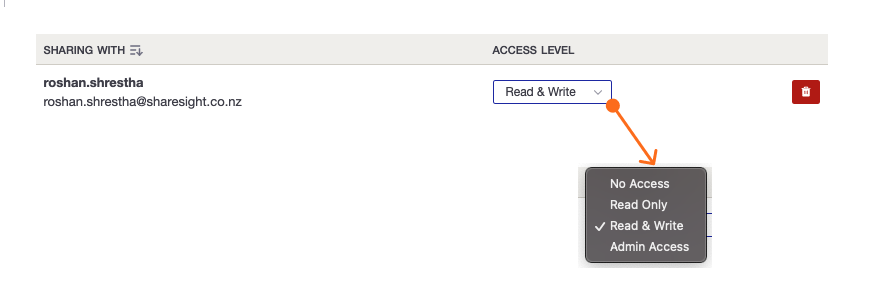
1 — Select the access level.
2 — Then select the access level you would like from the dropdown menu.
Deleting someone’s access to your portfolio
 1 — Select the bin icon.
Last updated 17th April 2026