How can we help?
Add, search, edit or delete a cash transaction
Quick links:
Add a transaction
1 — On the Portfolio Overview Page, click on the Cash Account.
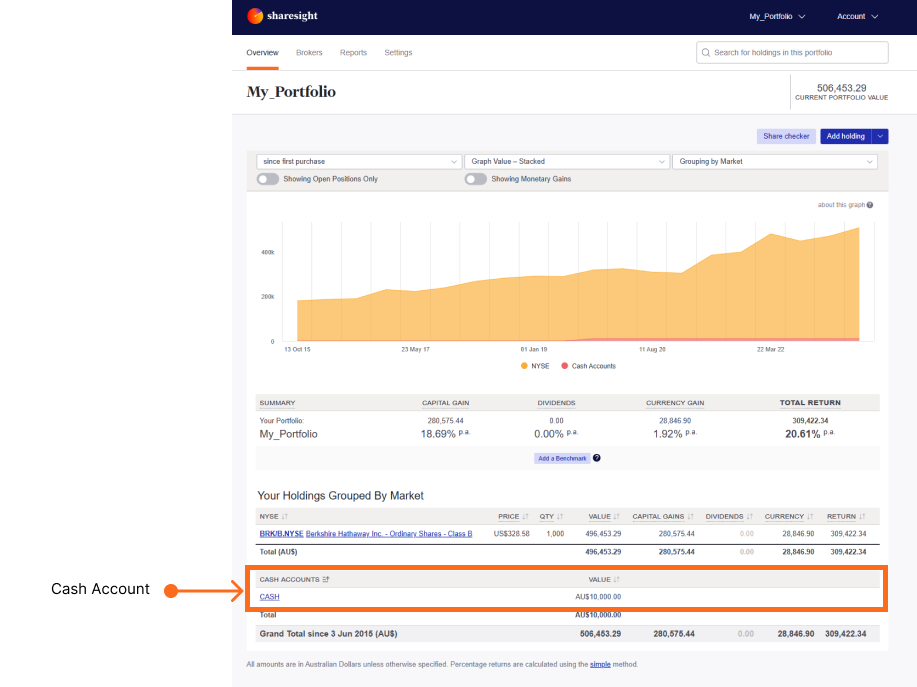
2 — On the Cash Account page, click Add Transaction.
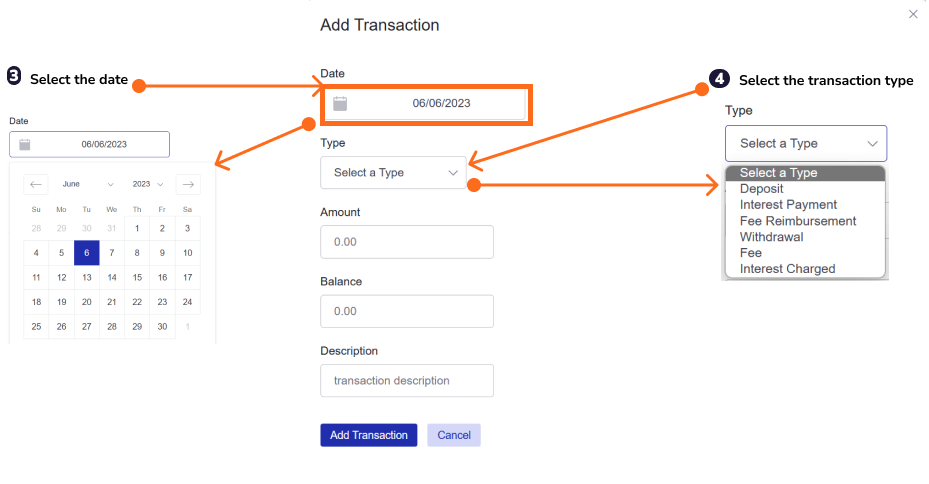
 3 — Select the date of the transaction from the calendar.
4 — Select the transaction type from the dropdown menu.
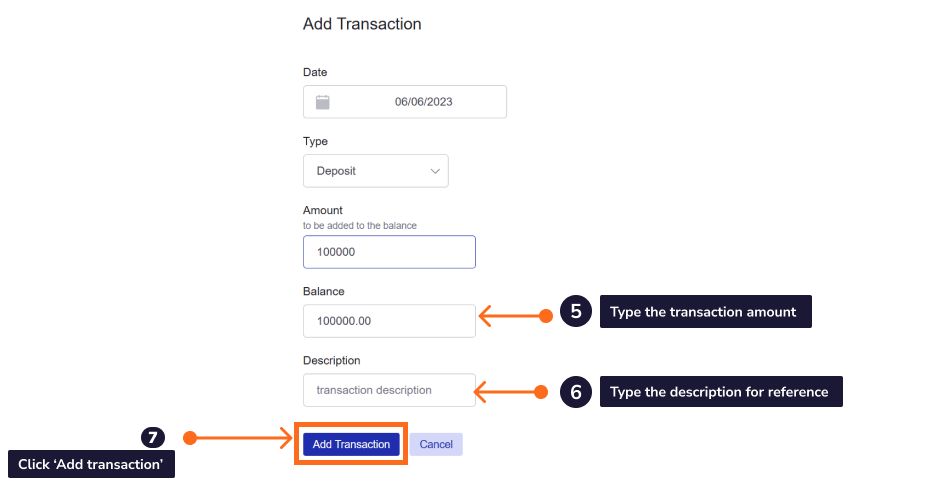
5 — Type the amount of the transaction in the Amount field.
6 — Type a description of the transaction for your reference in the Description field. The transactions can be searched for by the description.
7 — Click Add Transaction to save the transaction to the Cash Account.
Search a transaction
Three ways to search a cash account:
- Column headings - by clicking on a column heading to sort by the column data.
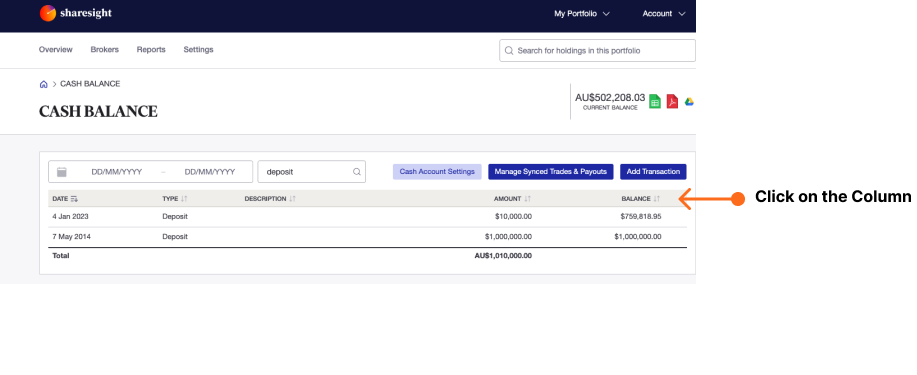
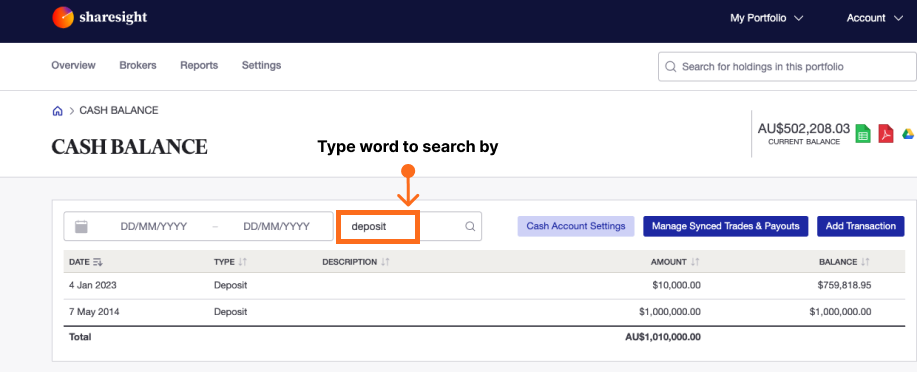
- Transaction description or type - by typing the description name or type in the search field.
- Date range:
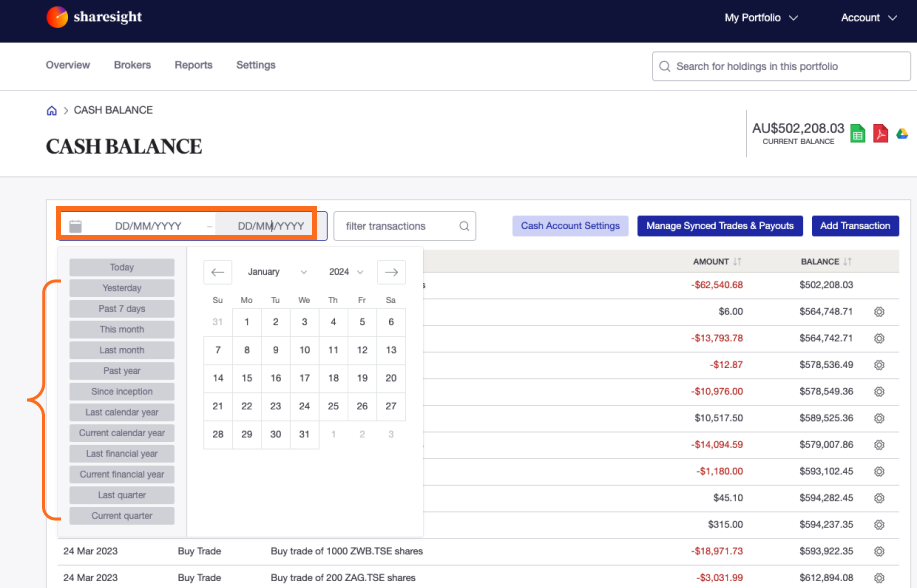
Select a date range:
1 — Click on the calendar icon.
2 — Select the date range.
Select a custom date range:
1 — Click on the start date.
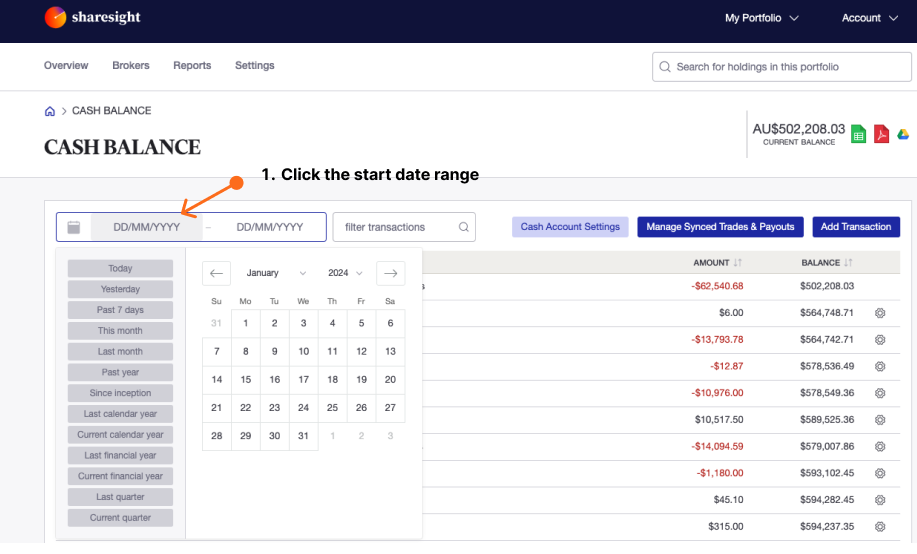
2 — Select the date on the calendar.
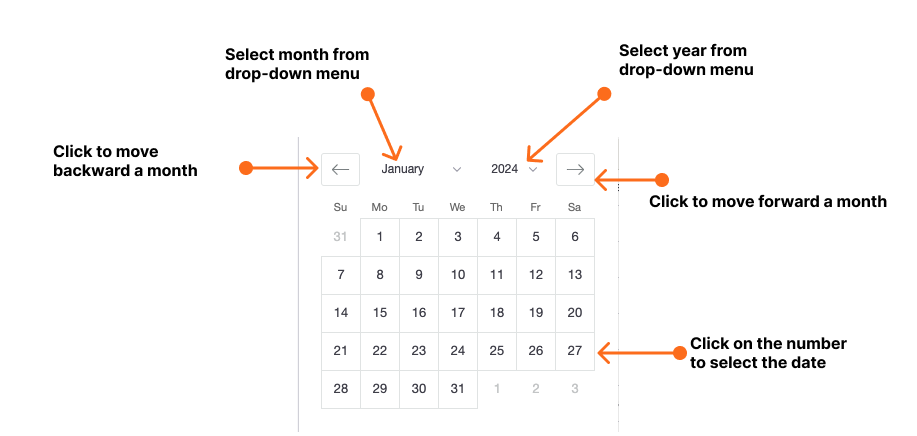
3 — Click on the end date.
 4 — Select the date on the calendar.
Edit a transaction
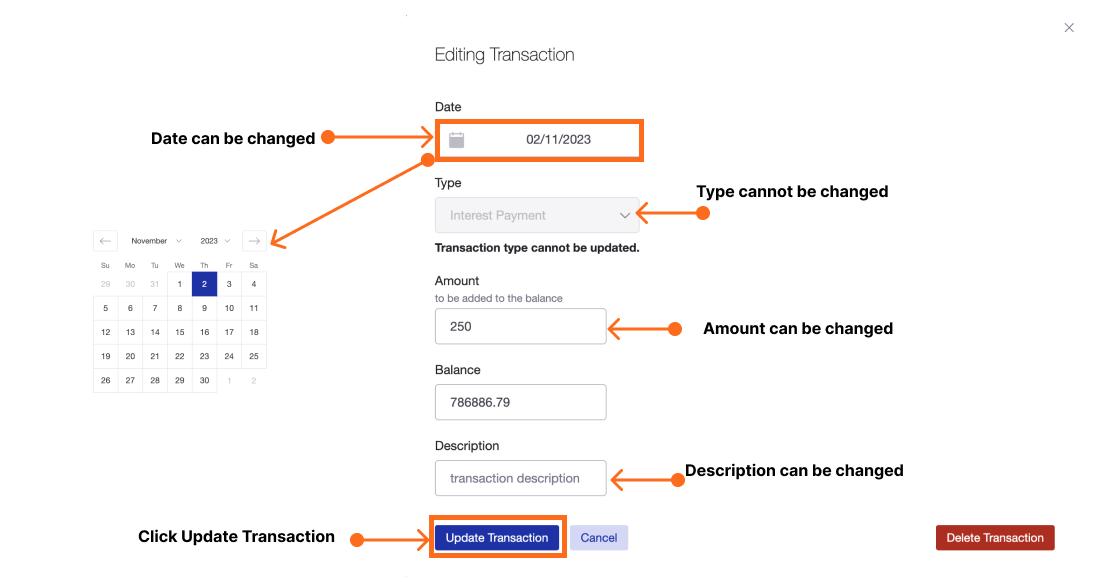
1 — Search and click on the transaction you want to adjust.
 2 — The date of the transaction can be changed.
3 — The type of the transaction cannot be changed. To change the type you will need to delete the transaction and then add a new transaction.
4 — The amount of the transaction can be changed.
5 — The description of the transaction can be changed.
Note that the description may be used to search for transactions.
6 — Click ‘Update Transaction’.
Delete a transaction
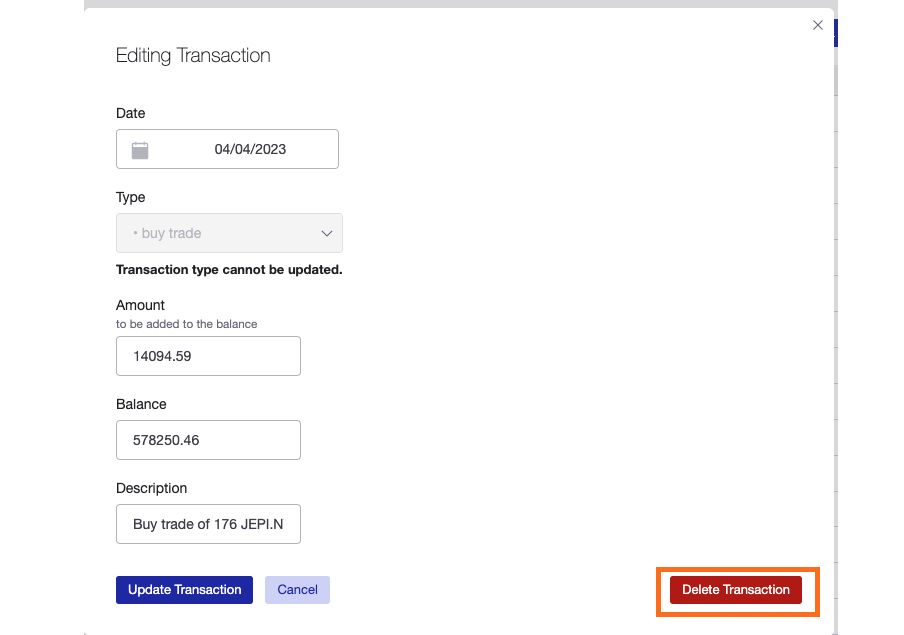
1 — Search and click on the transaction you want to delete.
2 — Click Delete Transaction.
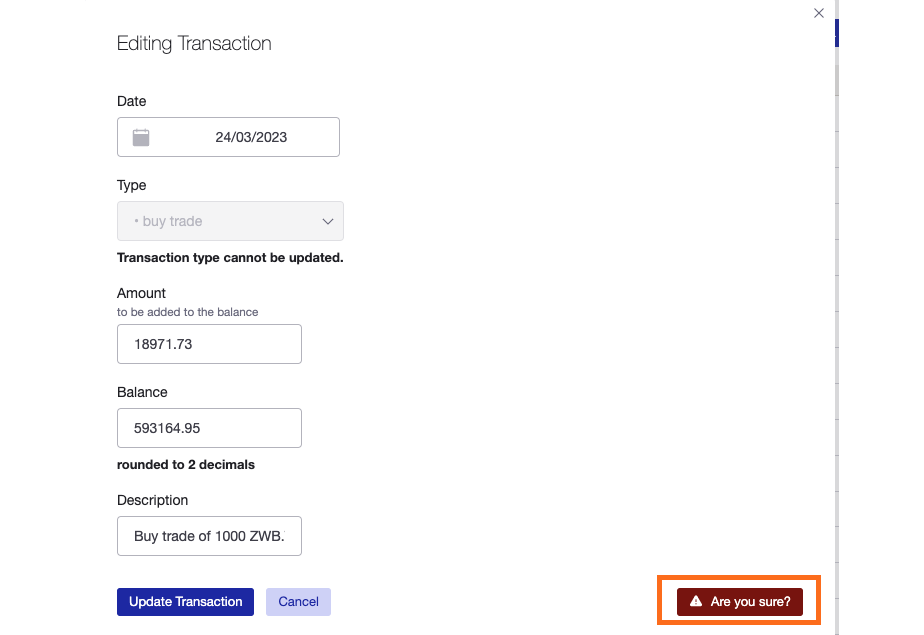
3 — Click Are you sure? to confirm.
Last updated 22nd January 2026