How can we help?
Woolworths & Endeavour demerger (ASX)
Sharesight makes it easy for investors to handle corporate actions (even complicated demergers) and track the capital gains tax implications.
Using Sharesight to track the Woolworths (WOW) and Endeavour (EDV) demerger will also ensure that you maintain an accurate record of your portfolio performance.
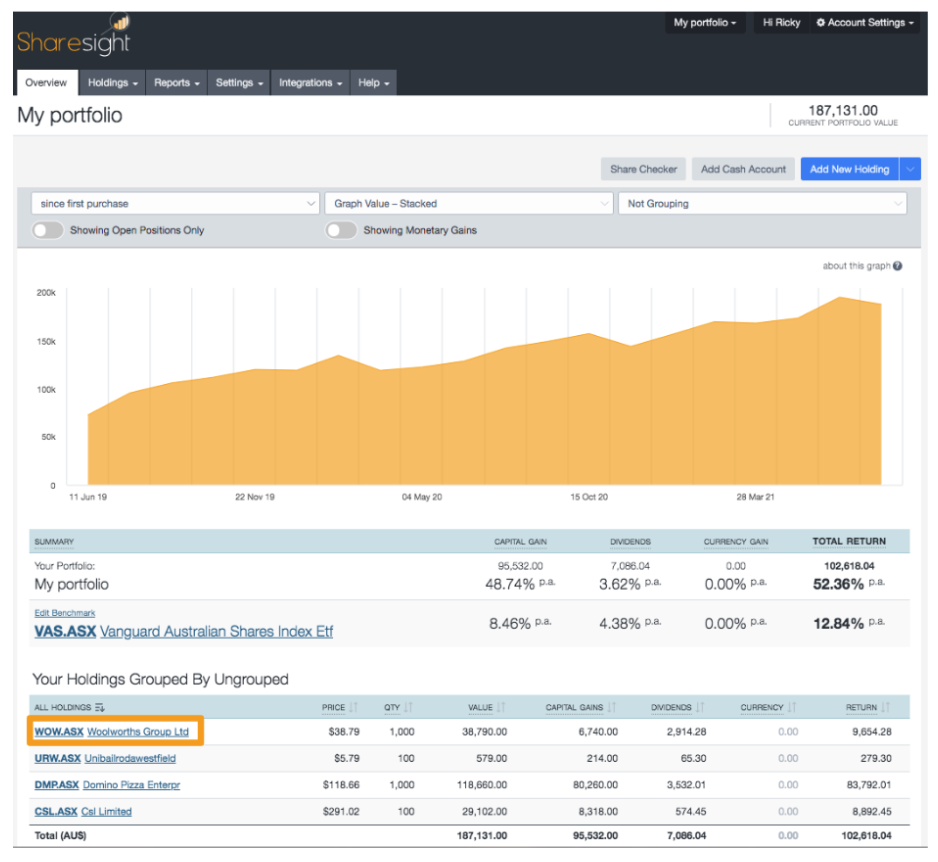
1 – Click on Woolworths, WOW on the Portfolio Investments Page, to go to the Individual Holding Page.
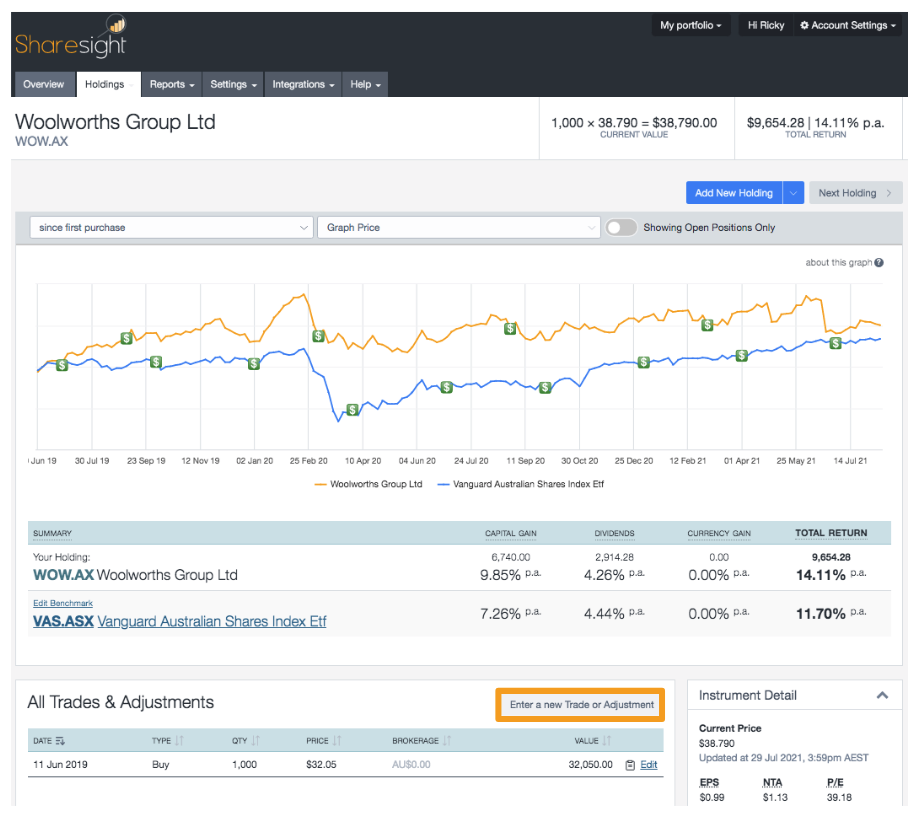
2 – Click Enter a new Trade or Adjustment.
3 – On the pop-up window, select Adjust Cost Base from the transaction type dropdown.
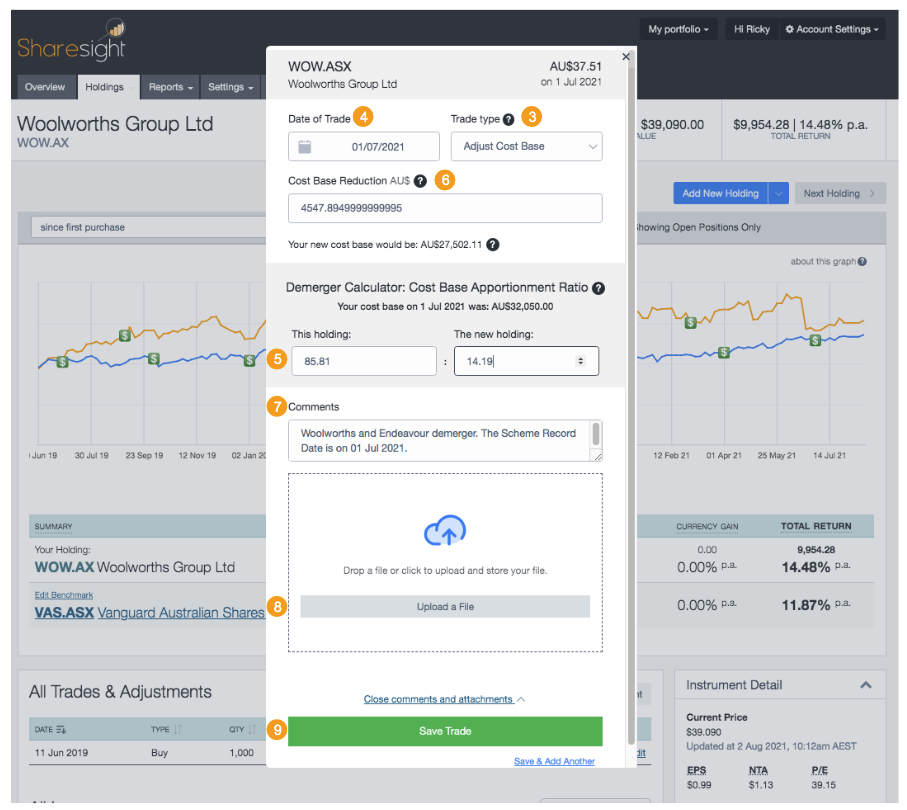
Based on the ATO class ruling, set the:
4 – Date of trade: 01 July 2021
5 – Demerger calculator: Set the ratio to 85.81 : 14.19
6 – Cost Base Reduction: This should auto populate.
Example If WOW cost base as of the Scheme date is $32,050, Cost Base reduction is $4,547.895.
Take note of the Cost Base Reduction amount
7 – Comment: Woolworths and Endeavour demerger. The Scheme Record Date is on 25 June 2021.
8 – Choose a file: to help keep your records in order, you can attach the Endeavour Group Demerger Implemented letter.
9 – Click Save this trade.
10 – Click Add New Holding.
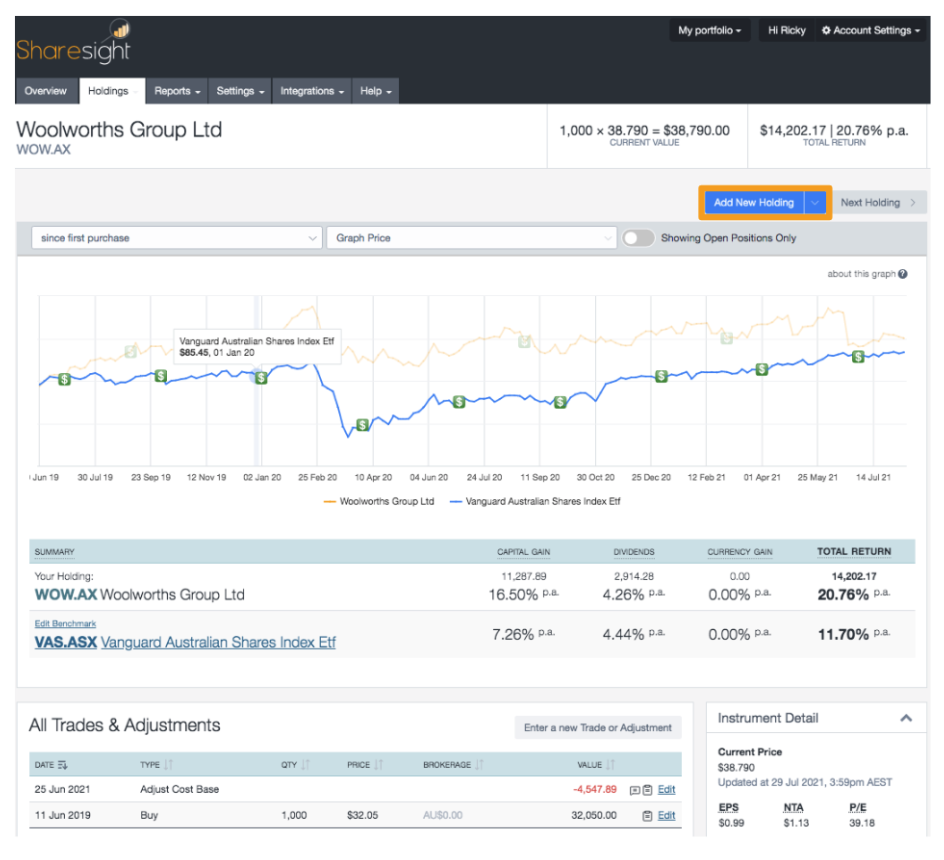
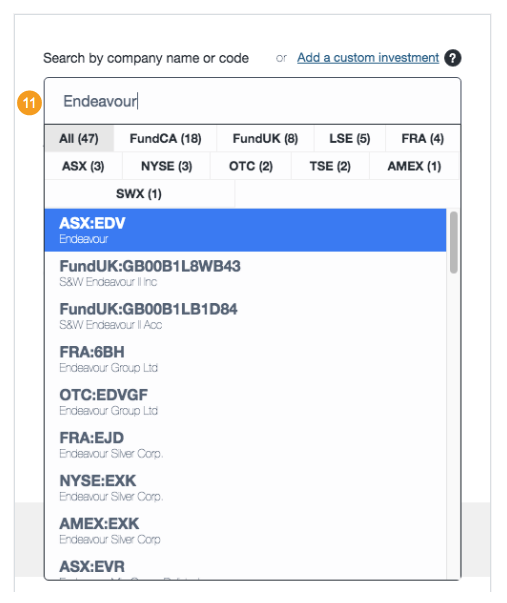
11 – On the left hand side of the page, search for Endeavour or EDV to locate the holding.
12 – Select Opening Balance.
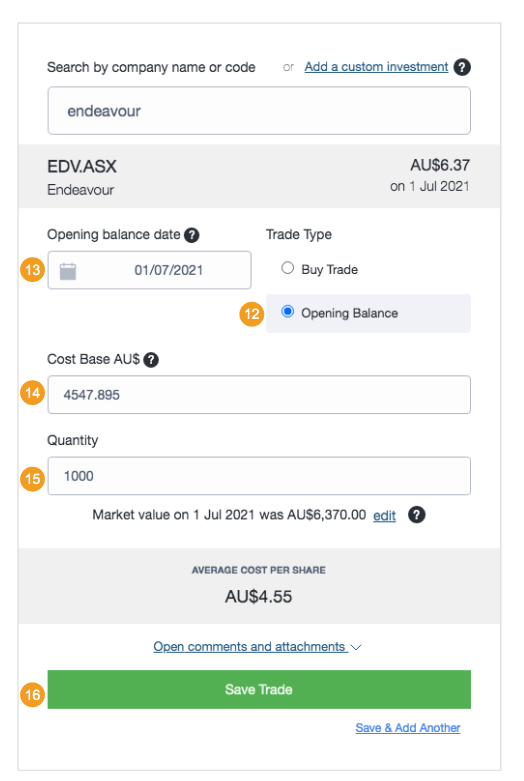
13 – Set Opening balance date as 01 July 2021.
14 – Input Cost base AU$: Use the Cost Base Reduction amount from Woolworths.
15 – Input Quantity: 1 Endeavour share to every 1 Woolworths share.
16 – Click Save this holding.
Example Own 1000 WOW as of the Scheme date - received 1000 EDV Shares from the demerger
The guide above is a suggestion on how to handle the corporate action in Sharesight and is not financial or tax advice. We advise you to consult your financial advisor or accountant. We also encourage you to review the official documents for full details.
Last updated 25th September 2026