How can we help?
Share Checker — compare hypothetical investments
The Share Checker enables you check the performance of a hypothetical investment of $10,000 of any share, ETF or mutual fund listed in the Sharesight database within a selected date range.
Running the Share Checker:
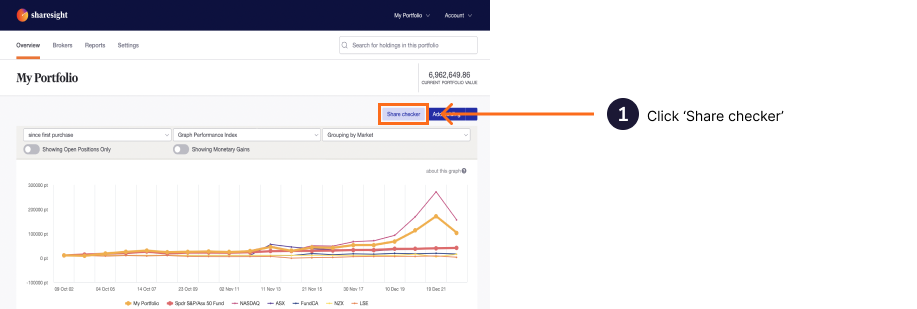
1 — On either the Portfolio Investments page, Individual Holding Page or Holding Tab, click on the Share Checker button.
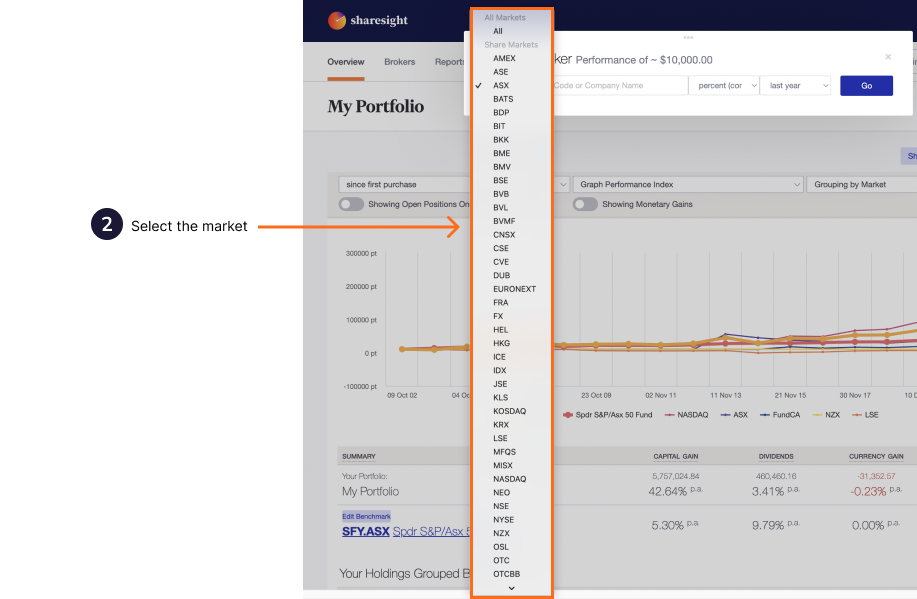
2 — From the dropdown menu, select the stock market the holding is listed on.
3 — Type in the holding code or name, and select the holding from the search results list.

4 — From the next dropdown menu, select the performance calculation method.

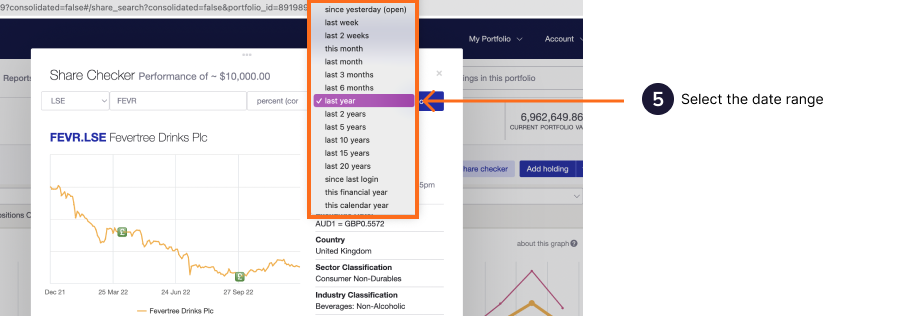
5 — From the next dropdown menu, select the date range you want to view the performance of the holding.
6 — Click on the Go button.
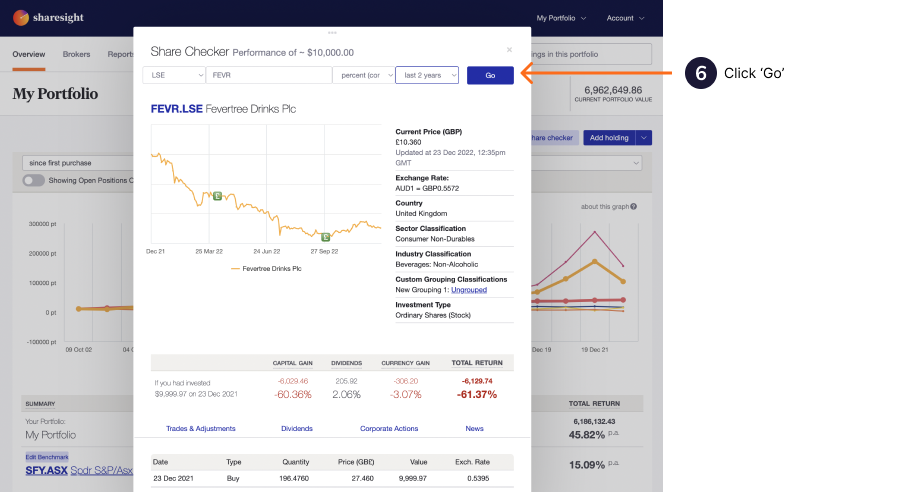
The holding information will load for the selected date range.
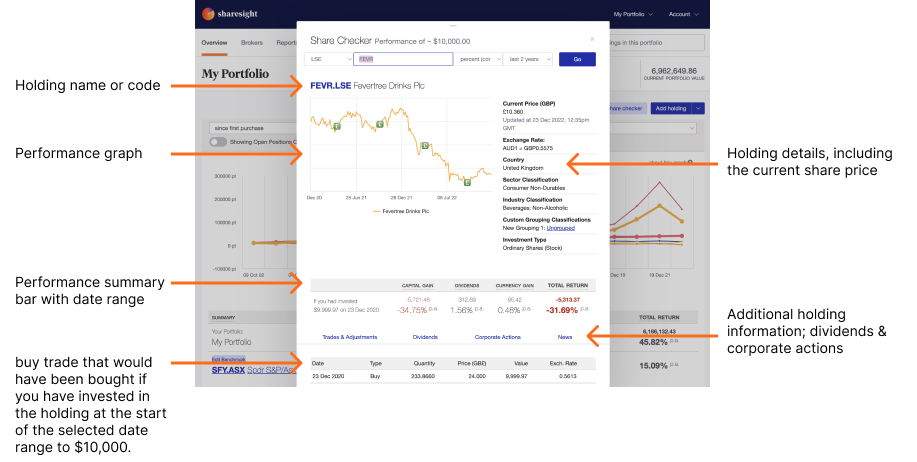
The Share Checker will display:
-
Performance graph.
-
Holding details.
-
Current share price.
-
Performance summary - a summary of the performance of $10,000 hypothetically invested at the start of the date range selected.
-
Trades & Adjustments for the date range selected - the $10,000 hypothetically buy trade at the start of the selected date range and any adjustment that occurred within the selected date range.
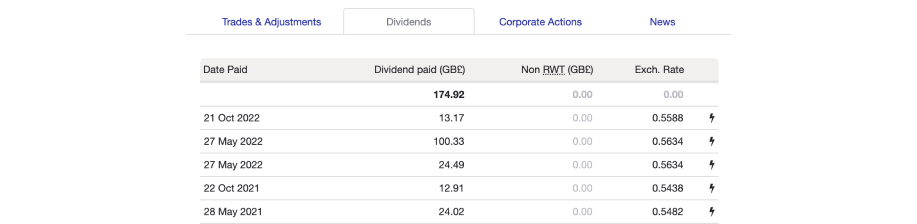
The dividends that would of been received within the selected date range.
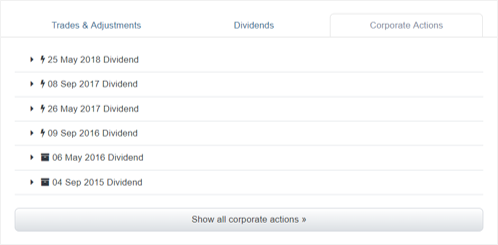
The corporate actions that occurred within the selected date range.
News on the holding from Sharesight’s news providers.
Last updated 15th May 2026