How can we help?
How to record share transfer between portfolios
Share transfer refers to moving ownership of stocks, ETFs, mutual funds or other securities from one investment account to another. This can be done within the same brokerage or between different financial institutions. Keeping accurate records of share transfers is important for legal compliance, tax reporting, dispute resolution and financial tracking.
Share transfers need to be recorded manually in Sharesight. Follow the steps below to record a transfer between Sharesight portfolios:
-
Open the portfolio where the stock is currently recorded and select the stock you wish to transfer.
-
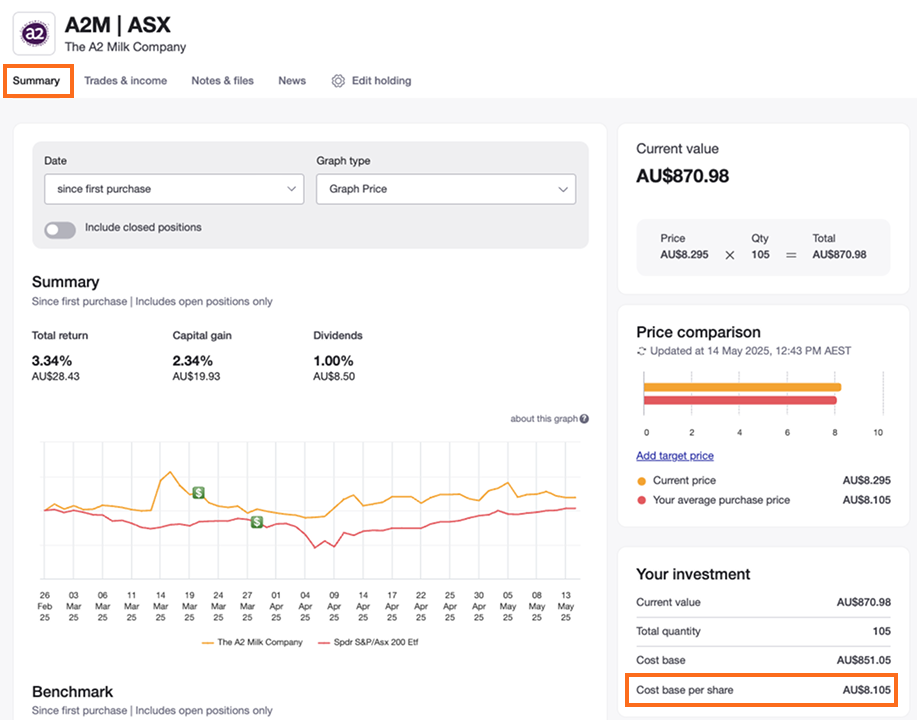
Note down the cost base per share from the Summary tab of the holding. This is the sender's original cost base, which you will carry over to the receiving portfolio in step 8.
-
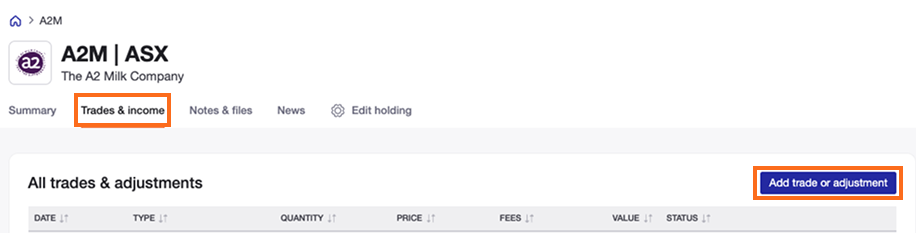
Go to the Trades & income tab and select Add trade or adjustment.
-
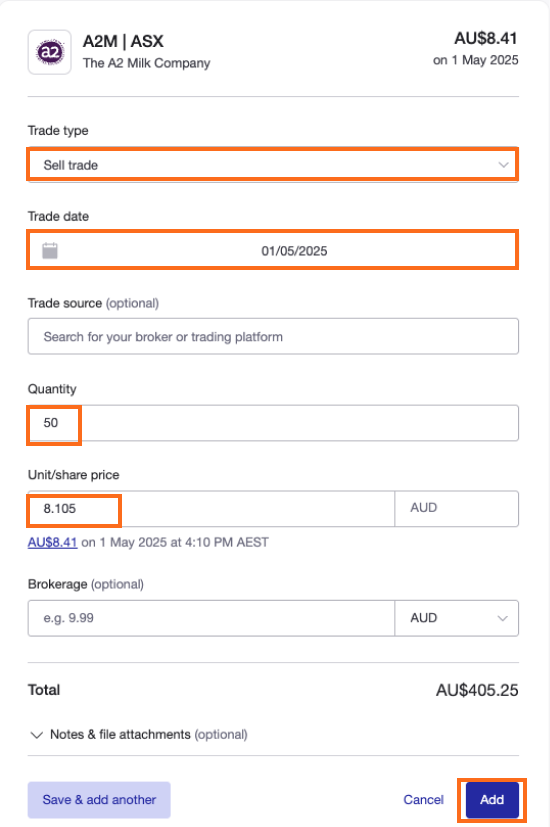
Enter the transfer details:
- Trade type: Transfer out
- Trade date: the date of the transfer
- Quantity: the number of shares transferred
- Unit price: the market closing price on the transfer date
-
Click Add.
-
Open the portfolio the shares are being transferred to.
-
Click Add investment.
-
Record the transferred shares as either an opening balance or a buy trade:
- Opening balance: Opening balance date = the date of the transfer; Trade cost base = number of shares transferred × cost base per share from step 2; Quantity = number of shares transferred.
- Buy: Trade date = the date of the transfer; Quantity = number of shares transferred; Unit price = cost base per share from step 2.
-
Click Add.
Moving a holding with its entire trading history to another portfolio
If you want to move a holding from one portfolio to another along with all of its buy, sell and dividend transactions, contact our support team with the following details and we will transfer the holding for you:
- The name of the original portfolio.
- The ticker code of the holding.
- The name of the portfolio you want to move the holding into.
All the transaction history associated with the holding will be moved to the new portfolio.
Last updated 18th November 2026