How can we help?
Delete a Cash Account transaction
1 — On the Portfolio Overview page, click on the Cash Account.
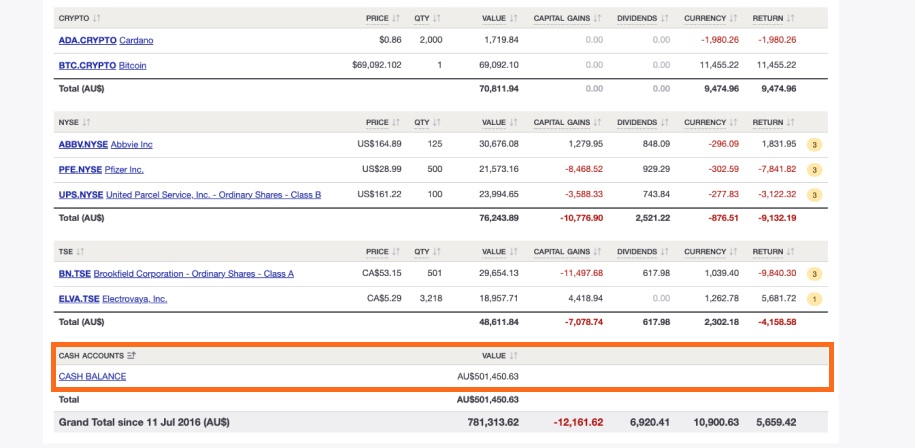
2 — On the Cash Account page search and click on the transaction you want to delete.
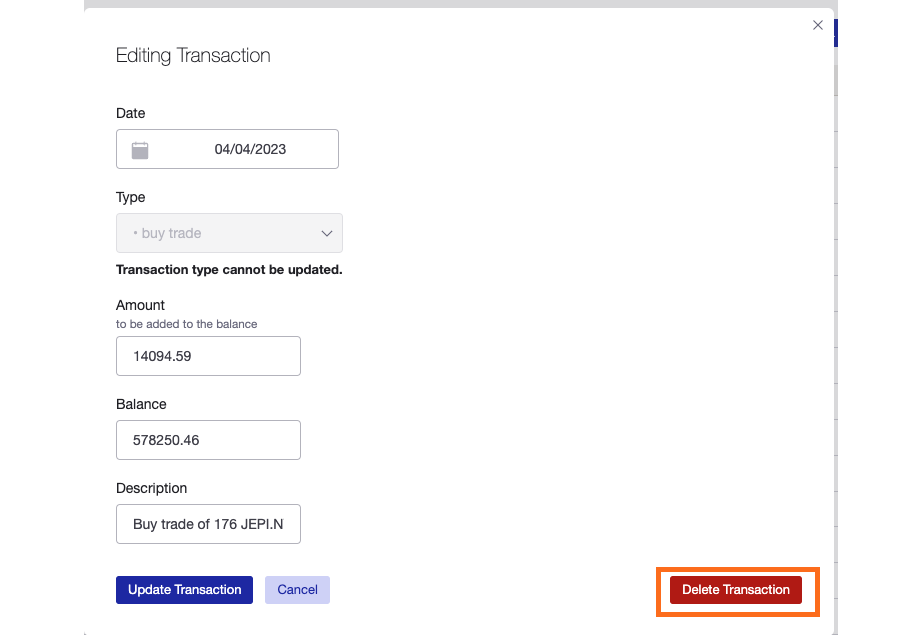
3 — Click ‘Delete Transaction’.
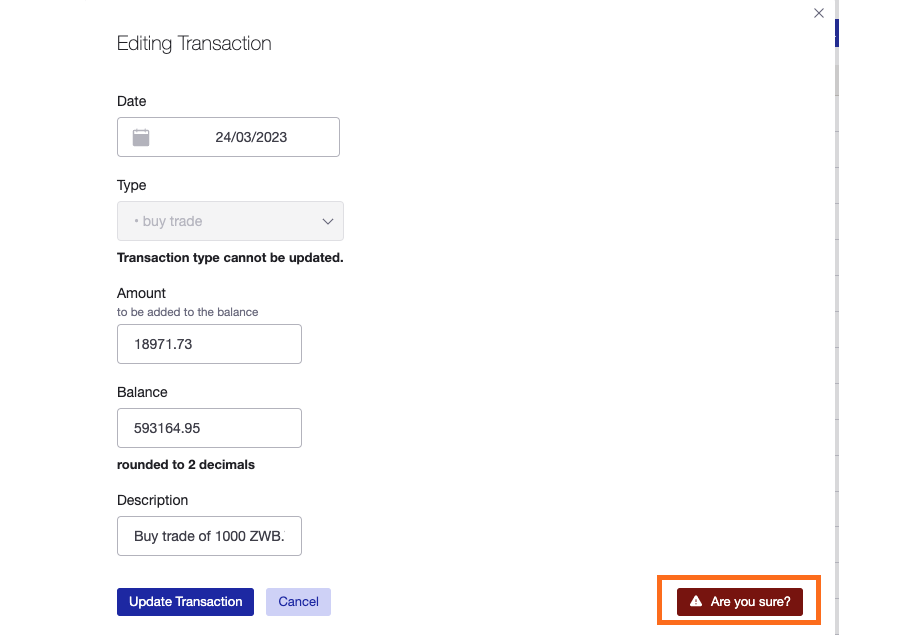
4 — Click ‘Are you sure?’ to confirm the transaction to be deleted.
Last updated 12th November 2025