How can we help?
Edit a Cash Account transaction
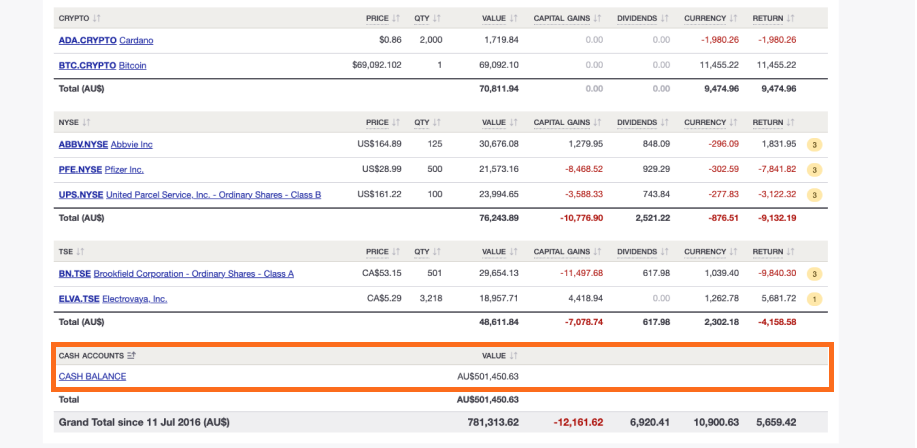
1 — On the Portfolio Overview Page, click on the Cash Account.
2 — On the Cash Account page search and click on the transaction you want to adjust.
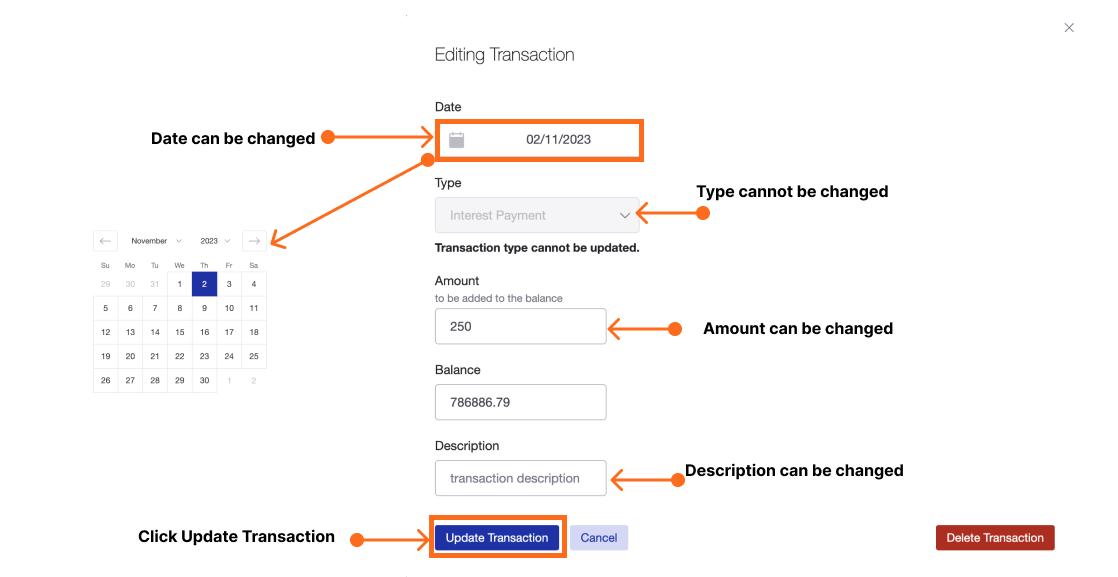
 3 — The date of the transaction can be changed.
4 — The type of the transaction cannot be changed. To change the type you will need to delete the transaction and then add a new transaction.
5 — The amount of the transaction can be changed.
6 — The description of the transaction can be changed.
Note that the description may be used to search for transactions.
7 — Click ‘Update Transaction’.
Last updated 17th December 2025