How can we help?
Calendar Report
Available on Sharesight Standard, Premium and Sharesight Business plans.
The Calendar Report lets you view your dividends month-by-month and see exactly what income is coming up next. It is designed to help you easily track your payments and confirm them as they arrive.
Note: Estimated income might be incomplete and is subject to change up until the dividend ex-date.
Understanding the Calendar View
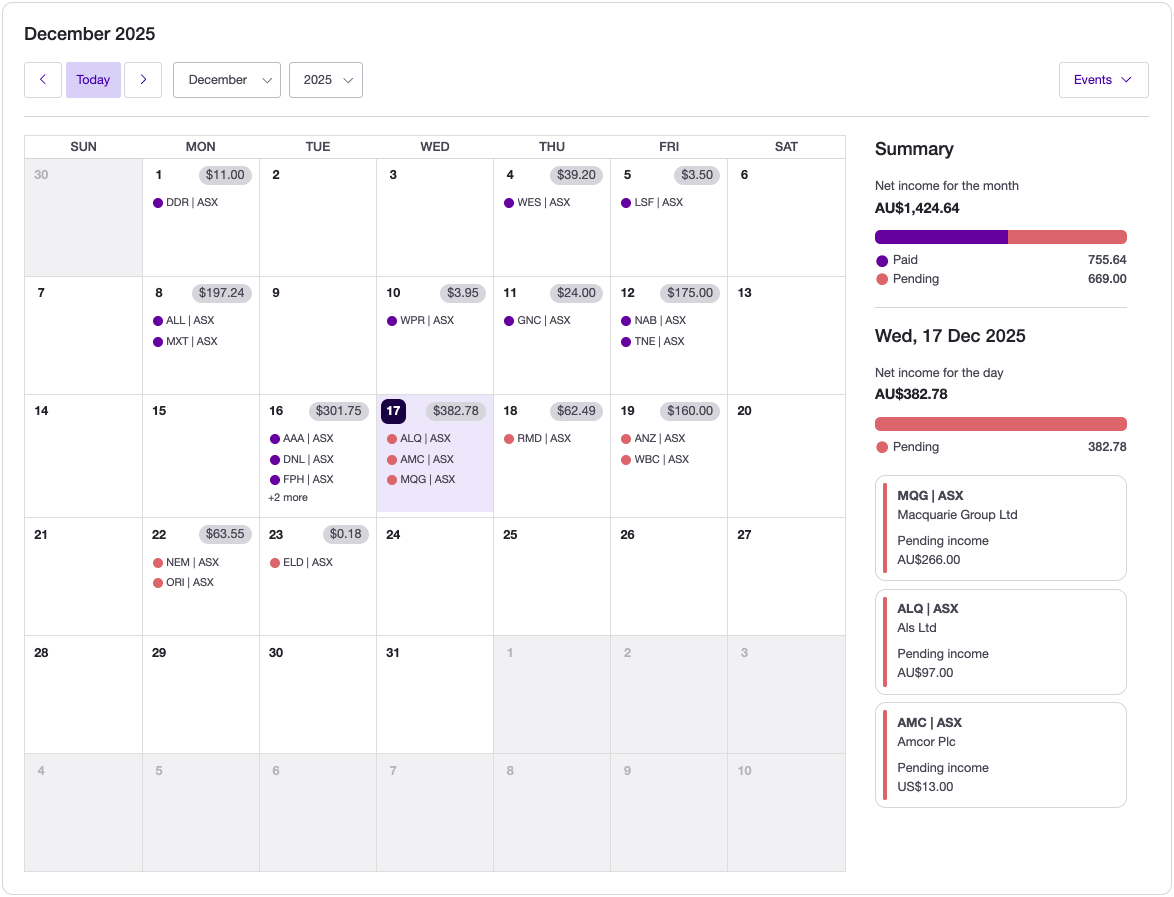
The report displays your income in a standard monthly calendar. Here is how to read the information on each date:
Daily Income: The grey currency badge (e.g., $197.24) on a date shows the total dividend income expected or received for that day.
Holding Details: The ticker and market code (e.g., ALL | ASX) appear below the amount, showing exactly which holding is paying the dividend.
Status Colors: The colored dot next to each ticker denotes the status of the payment (e.g., Purple for Paid, Pink/Red for Pending).
Daily Breakdown: Clicking on any specific date opens a summary panel on the right. This shows a detailed breakdown of every individual dividend payment for that day—especially useful if you have multiple payments on the same date.
Filter the calendar
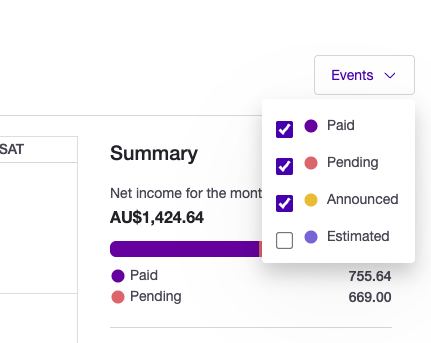
You can filter the calendar to show specific types of income status under Events:
-
Paid: Income already received.
-
Pending: Income that is due soon.
-
Announced: Officially declared dividends/distributions.
-
Estimated: Projected income based on previous data.
Last updated 17th July 2026